NURs die tot dusver niet zijn toegestaan of met motivatie beschikbaar zijn,
worden hierdoor vrij bestelbaar
1. Ga in backend naar
Lijsten > ABN AMRO: Boeken in catalogus (new)
of
ABN AMRO > Boekenlijsten > ABN AMRO: Boeken in catalogus (new)
2. Klik op bewerken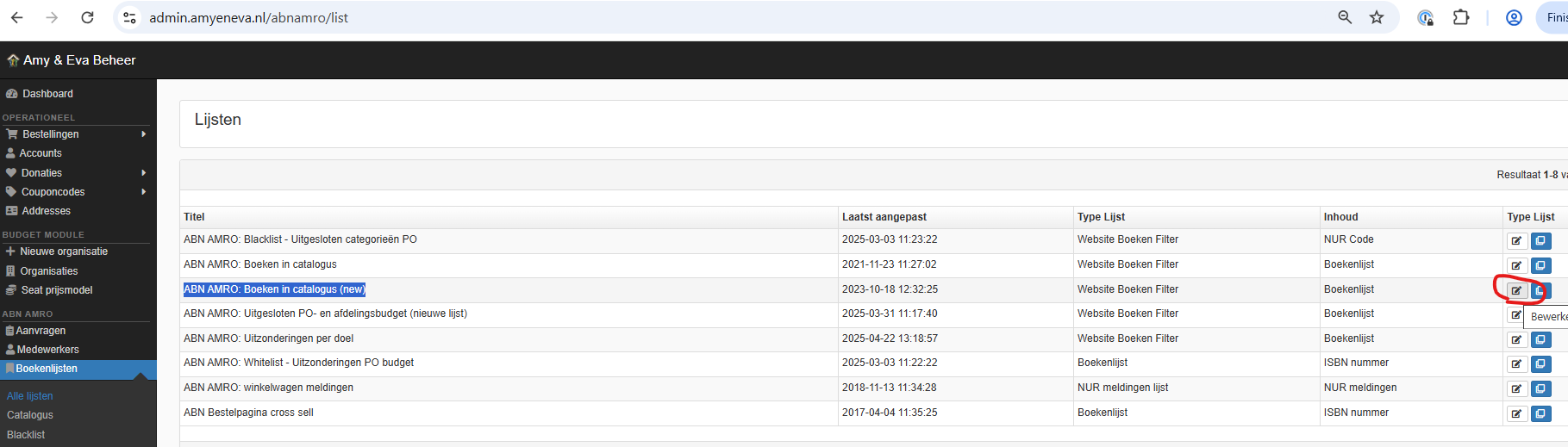
3. Ga in die overzichtslijst naar de onderste sublijst ABN AMRO Catalog NUR codes
4. Klik op bewerken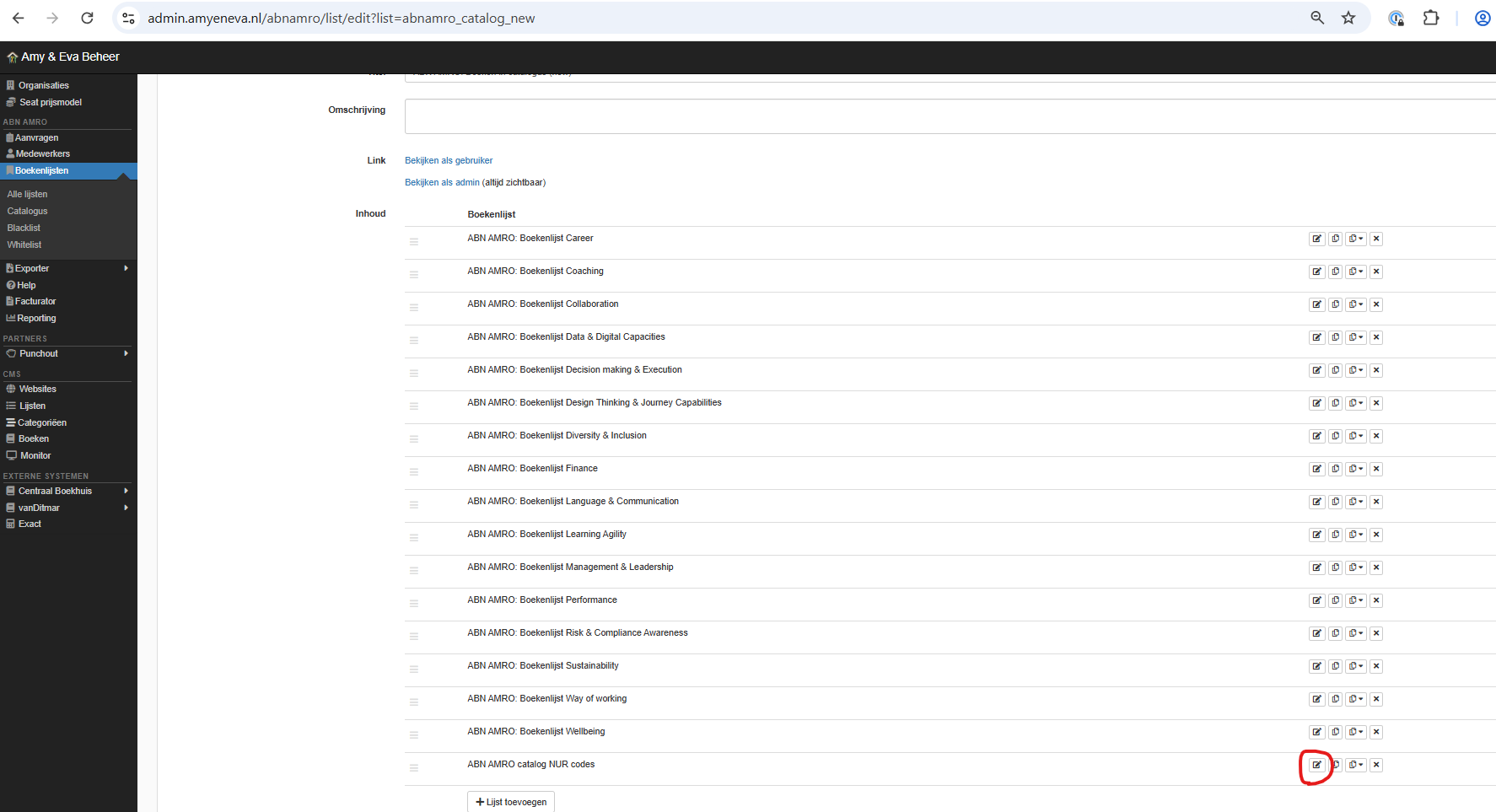
5. Voeg NUR toe in de kolom Inhoud (links)
(daarmee wordt deze doorgehaald in het overzicht rechts, en is dan vrij bestelbaar)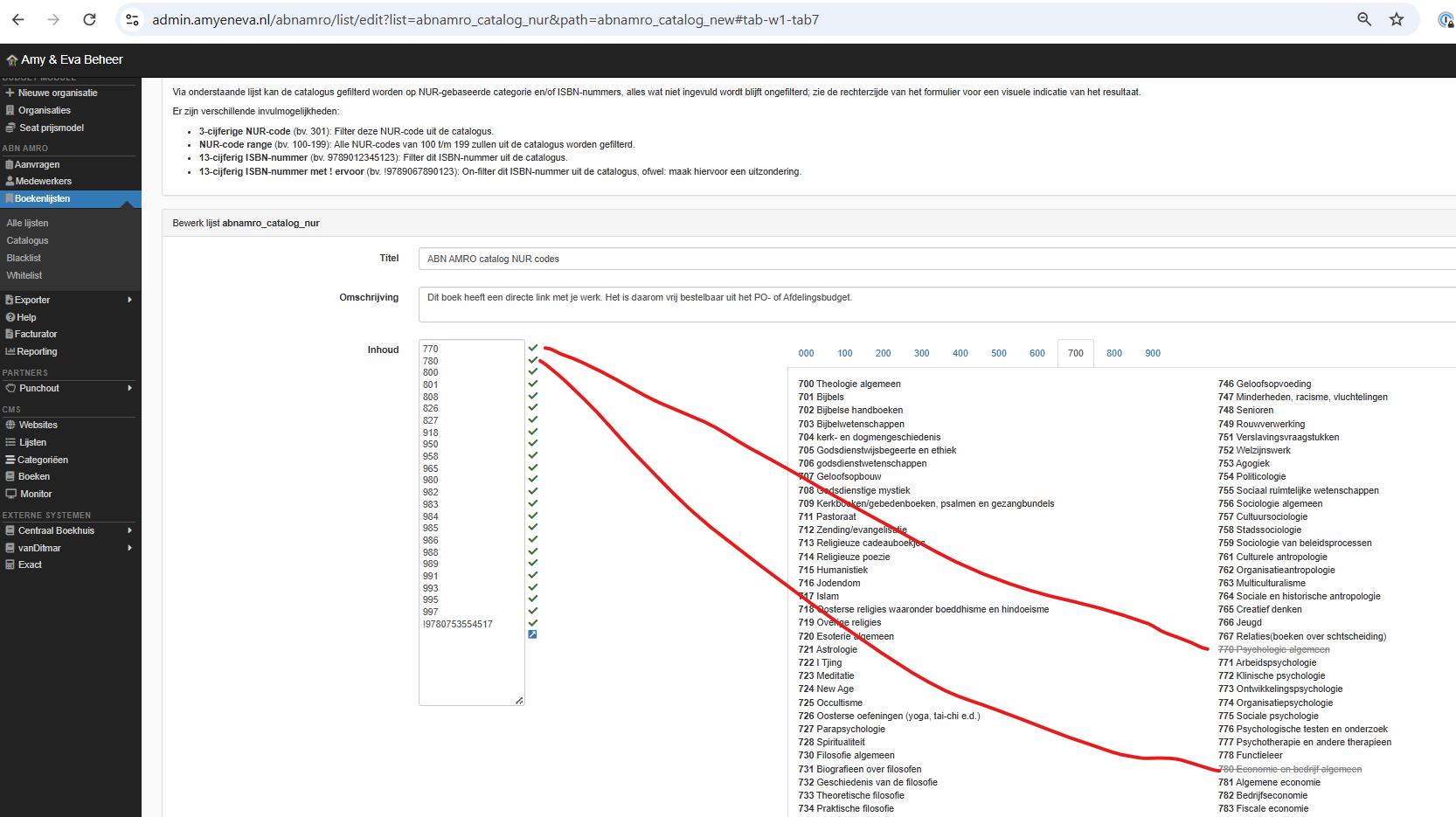
6. Klik op blauwe knop Opslaan (rechtsonder)
LET OP: ca. 1 uur synchronisatietijd nodig voordat het effectief te zien is op https://abnamro.amyeneva.nl/
Was this article helpful?
That’s Great!
Thank you for your feedback
Sorry! We couldn't be helpful
Thank you for your feedback
Feedback sent
We appreciate your effort and will try to fix the article